~/docs›Getting started
Introduction
The code review that makes your agent better.
You comment on lines in VS Code, like on a pull request. Your agent (Claude Code for now) fixes the code and answers in the thread. Then, with retros, you look back at your feedback together and improve its setup.
There is no pull request, no server and no account. Comments live next to your code, and nothing leaves your machine.
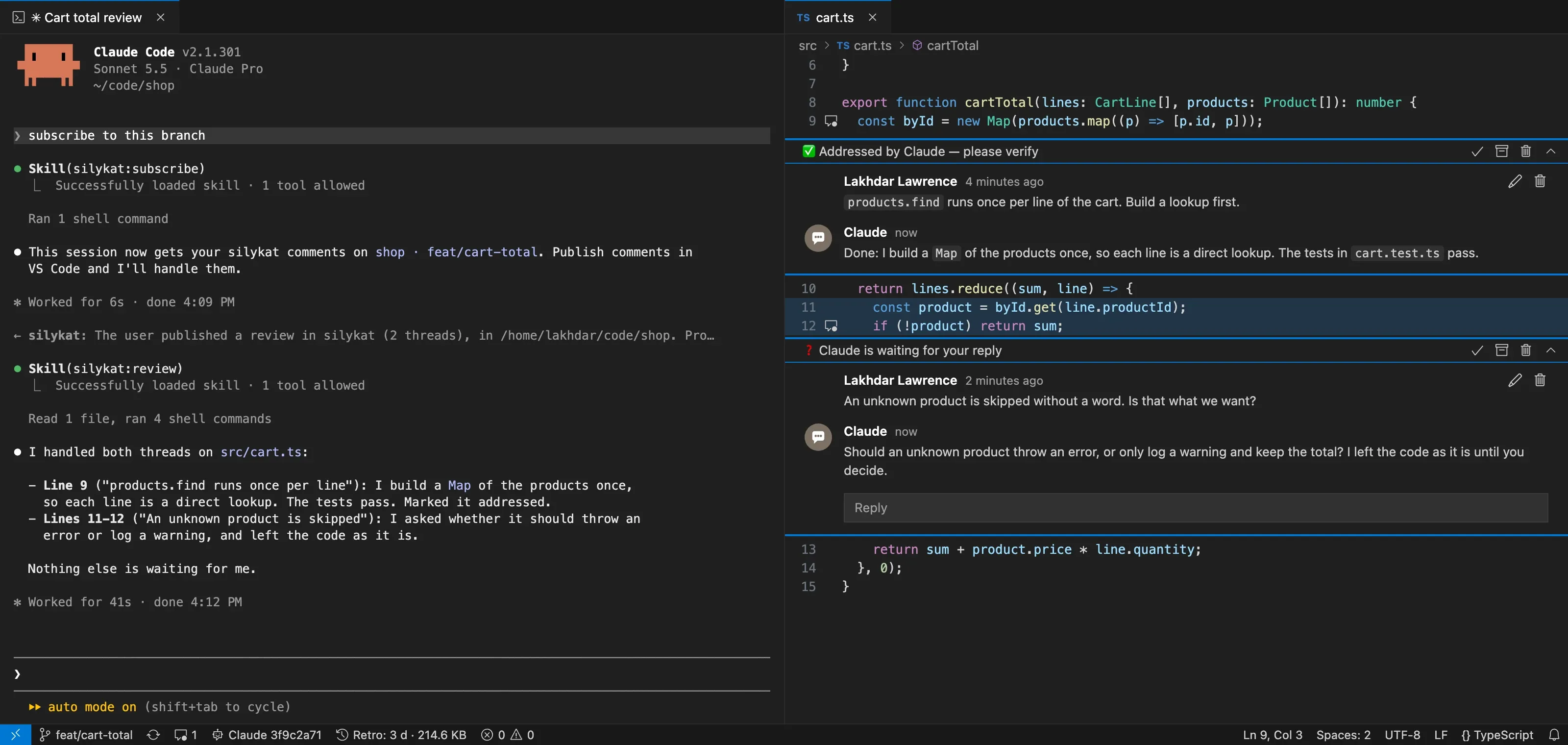
How it works
  You, in VS Code                        Your agent (Claude Code)
  ---------------                        ------------------------
  comment lines, a file, a diff   -->    receives the comments on its own
  or submit a whole review               changes the code
  see the answers live            <--    replies in each thread: done, or a question
resolve when satisfied- You leave a comment, or a whole review.
- Claude receives it within seconds, changes the code and replies in the thread.
- You check the change. You reply if needed, or click Resolve to close the thread.
What you get
- Comments anywhere: on lines, on a whole file, on both sides of a diff, even on files outside your project.
- Comments or reviews: publish a comment right away, or collect drafts and submit them together.
- Threads that follow the code: they move with the lines and stay on their git branch.
- Your agent does the work: it changes the code and tells you what it did, or asks one precise question.
- Retros: look back at your feedback with Claude, and decide together what to change in its setup (
CLAUDE.md, skills, hooks). - 100% local: no telemetry, plain files you can read. See Data and privacy.
Where to start
- Install the extension and the Claude Code plugin.
- Follow the Quick start: your first comment and Claude’s first answer, in a few minutes.
- Then read Comments and reviews and Retros.