~/docs›Getting started
Quick start
Your first comment, and Claude’s first answer, in a few minutes. You need the extension and the plugin installed.
Your first comment
- Open a project in VS Code. It should be a git repository.
- In a terminal, in the same folder, start Claude Code with the channel:
claude-slk(see Install). Choose I am using this for local development. The VS Code status bar now shows your session, for example Claude a1b2c3d4. - Tell Claude:
subscribe to this branch. Claude confirms that it now receives the comments of your branch. - In VS Code, open a file and select a few lines.
- Press
Ctrl+Cmd+Con macOS (Ctrl+Alt+Con Windows and Linux). You can also right-click and choose Comment on Selection. - Type a request, for example
Add a comment that explains this function, then click Comment.
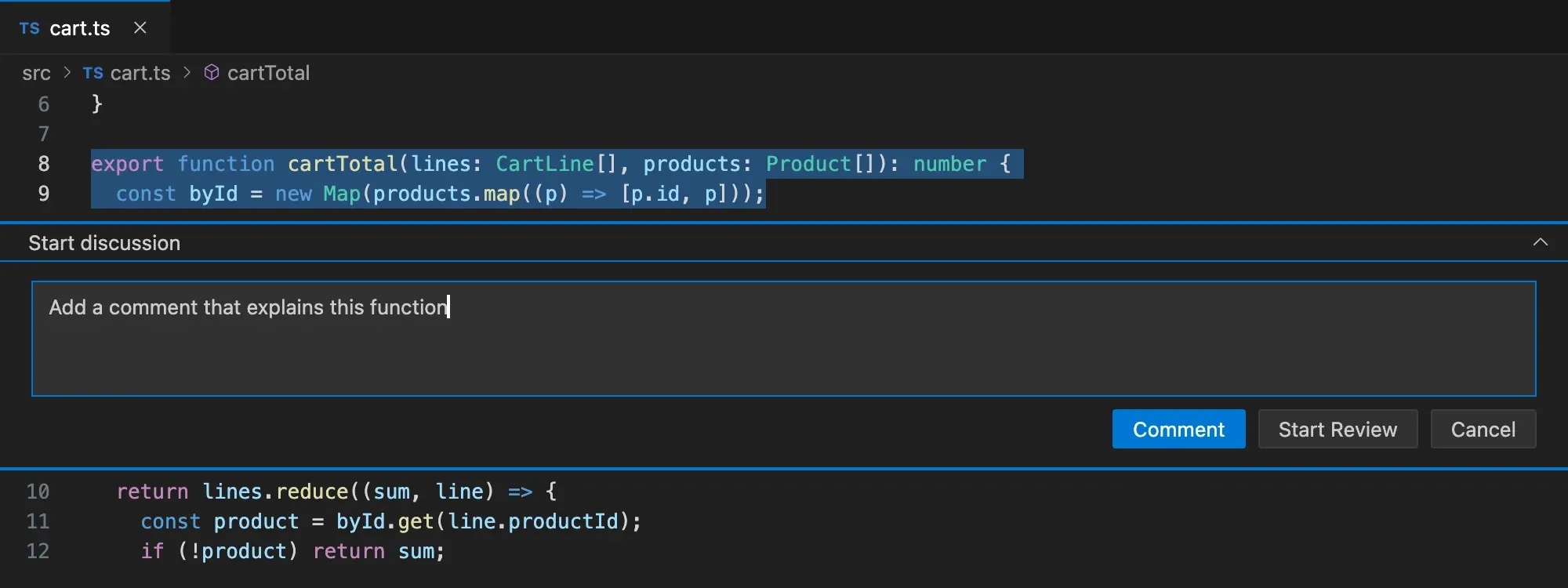
Within a few seconds, Claude receives your comment, changes the code and replies in the thread.
The first time, Claude Code asks whether Claude may use the silykat:review skill. Allow it, and choose not to be asked again.
Read the answer
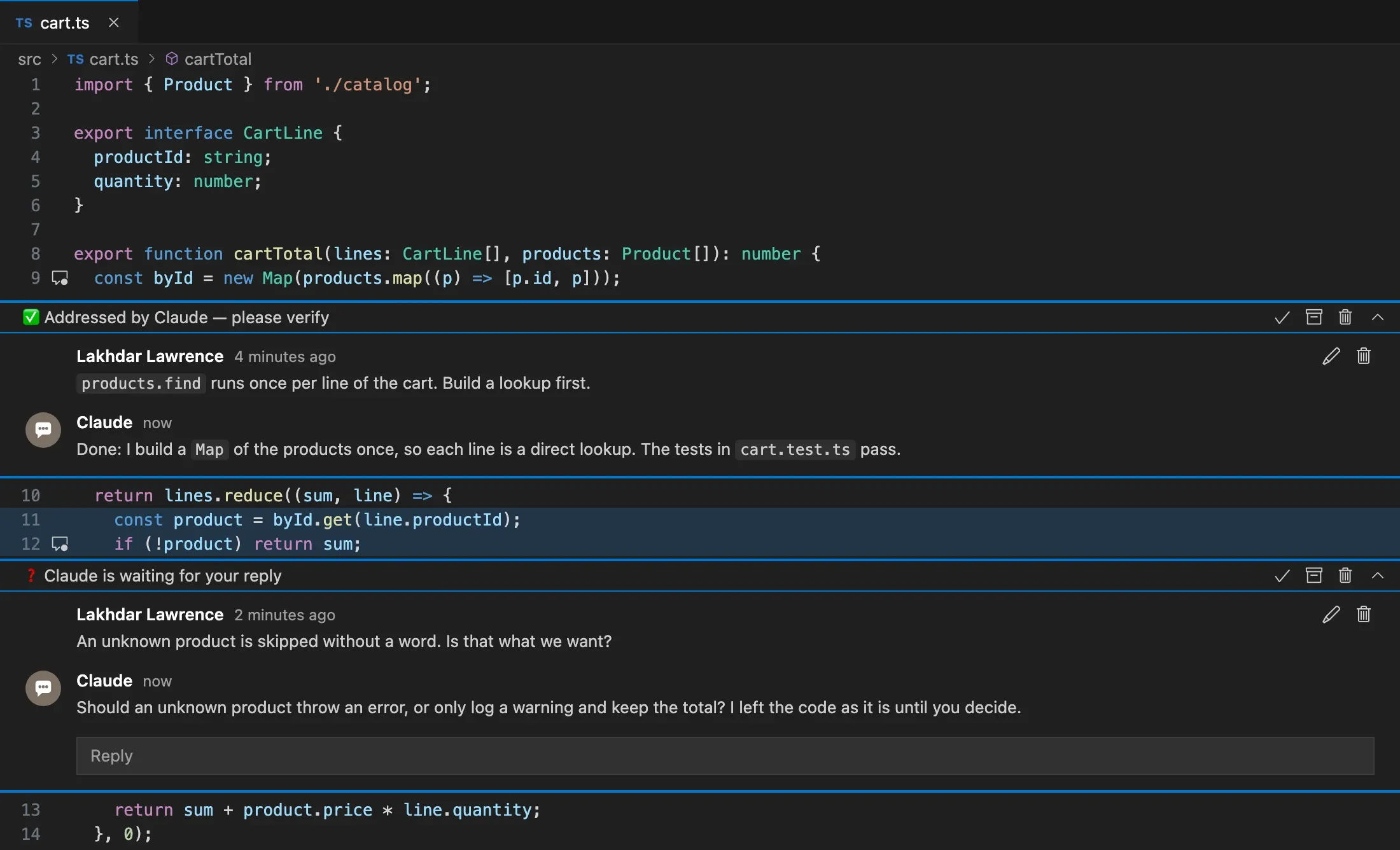
The thread header tells you where things stand:
- ✅ Addressed by Claude: Claude made the change. Check it.
- ❓ Claude is waiting for your reply: Claude asks you a question before it changes anything. Answer in the thread.
Close the thread
- Check the change in the file.
- If something is missing, write a reply and click Reply: the thread goes back to Claude.
- When you are satisfied, click Resolve (the ✓ in the thread header) to close the thread. It collapses.
Only you resolve threads. Claude never closes one.
That’s it. Next, learn to collect comments in a review, or see what Claude does with your comments.
If nothing happens
- VS Code asks “No agent session is subscribed… Publish this comment anyway?”: Claude is not subscribed to your branch. Click Cancel, ask Claude to
subscribe to this branch, and comment again. Claude also subscribes on its own as soon as it modifies a file of the branch. - The status bar shows no Claude session: check that the plugin is installed (
claude plugin list) and restart Claude Code. - The session shows ⚠: it was started without the channel. Claude only sees your comments when you type
/silykat:review. Restart it withclaude-slk.